Nest a key rack an AI agent drew in Inkbolt
The other examples start from a finished drawing. This one starts one step earlier: an AI coding agent drew the parts itself, then nested them. It wrote the outlines of an 8-part key rack for 3 mm plywood as SVG path data in millimetres. It used Inkbolt, an open-source graphics engine for agents by the same author, to create the document, check it and export SVG. Nestbolt's command-line tool then nested the drawing on a 300 × 200 mm sheet.
Free and MIT-licensed; your files never leave your computer.
What this job asks for
The rack has a 200 × 120 mm back plate with two screw holes and six slots, a 180 × 45 mm shelf with two slots, two triangular shelf brackets with tabs and a round lightening hole, and four hooks with a tab and an upturned tip. Each part is drawn once and cut once. Rotations are limited to quarter turns, so part edges stay square to the sheet; if grain direction matters, allow only 0° and 180°.
| Sheet (mm) | 300 × 200 |
|---|---|
| Margin | 5 mm |
| Part spacing | 2 mm |
| Edge spacing | 1 mm |
| Allowed rotations | 0°, 90°, 180°, 270° |
| Parts | 8, one copy each: back plate, shelf, 2 brackets, 4 hooks |
| Time budget | 10 seconds |
Measured layout
Measured on 2026-10-24 with the nestbolt command-line tool, built from main at 0526421, on a desktop PC, with the settings above. The 10-second search placed 8 of 8 parts on one sheet, with 67.3% utilisation and material 0.895 sheets. It left a clear 300 × 21 mm strip above the parts. The independent check: valid, and a separate nestbolt validate run agreed. Three runs on that PC gave the same layout. Results can vary between runs and computers, because the search stops at its time limit.
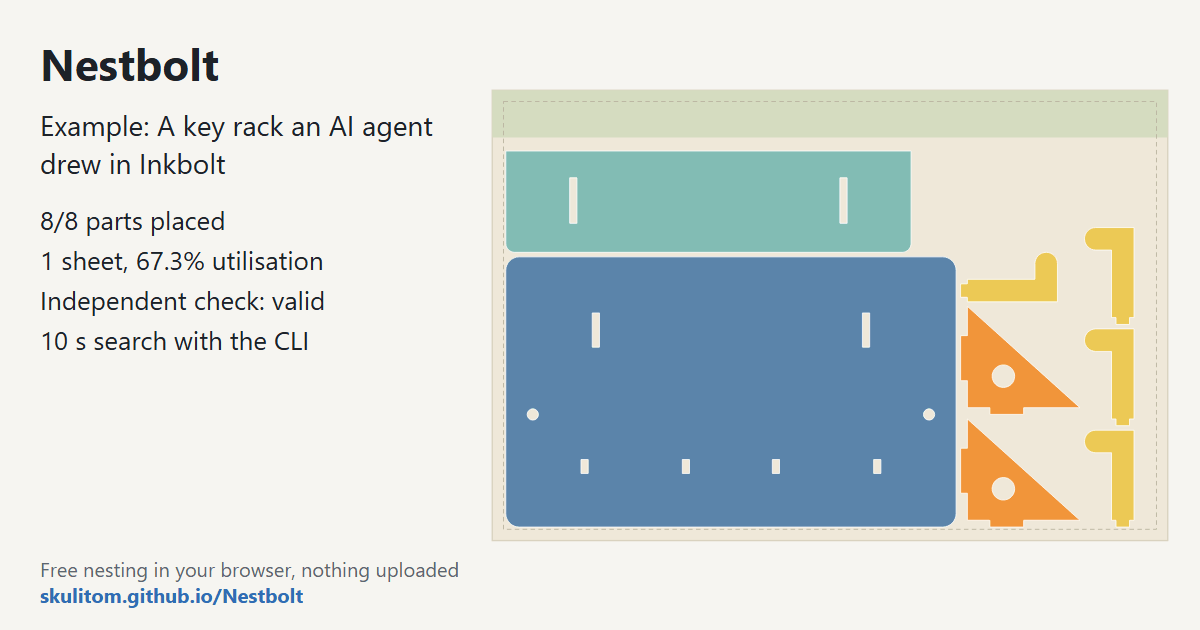
main nested it on 2026-10-24 (10-second search): 8/8 parts, one sheet, check valid.How it was made
- Draw. The agent ran the Inkbolt v0.82.0 release as an MCP server (
inkbolt --workspace /absolute/path/to/folder mcp --tools core; the workspace must be an absolute path). It calledinkbolt_document_createfor a vector document andinkbolt_document_editwith oneadd_svgoperation holding the eight outlines, theninkbolt_runwithdocument.check(no issues) and withdocument.publishin SVG format. Inkbolt took about 0.1 seconds. - Import.
nestbolt import key-rack.svg --output library.jsonfound 8 closed parts with their 12 holes and slots, with no open contours, repairs or warnings. - Nest.
nestbolt nest --library library.json --request key-rack-request.json --out-dir out --seconds 10wrotesheet-0.svgandsheet-0.dxffor cutting, withlayout.jsonandreport.json. - Check.
nestbolt validate --library library.json --request key-rack-request.json --layout out/layout.jsonreported the layout valid, with no overlaps and nothing outside the sheet.
One detail matters when an agent draws for a cutter: units. Inkbolt writes SVG sizes in CSS pixels, 96 to the inch, and Nestbolt reads them that way. So the agent drew in millimetres inside one scale(96/25.4) group, and the parts imported at their true size with no extra flags. Without that group, numbers meant as millimetres would import at about a quarter of their size; check the imported part sizes before you nest.
Try it yourself
Download the key rack drawing and the request file, and run the three Nestbolt commands above. You can get the nestbolt tool from the releases page; this measurement used a build of main. Or drop the drawing into the app and enter the settings from the table.
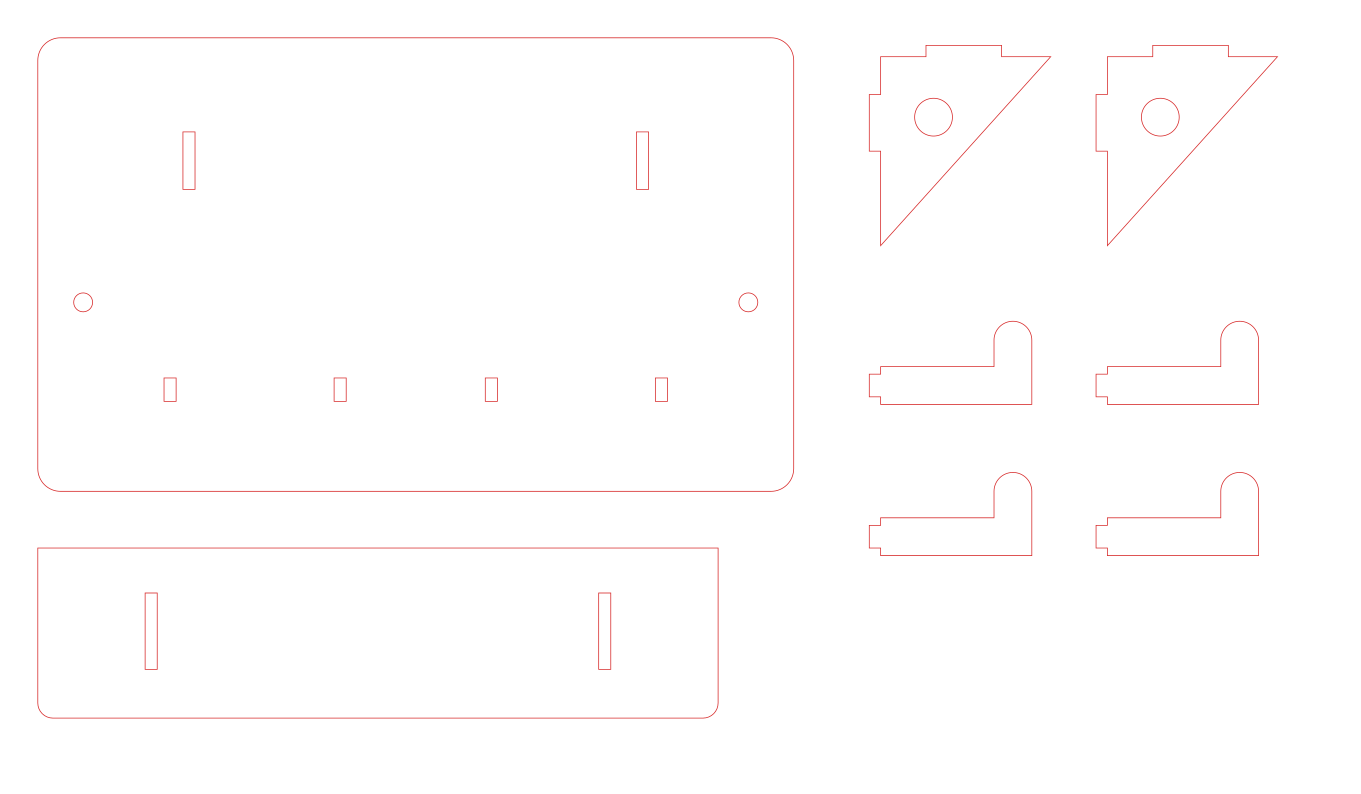
Each sheet's SVG and DXF exports are made from the original curves. If you start from a LightBurn project (.lbrn2 or .lbrn) instead, Nestbolt can write a preserving .lbrn2 file per sheet; that is a preview feature.
Let your agent do both steps
Both tools have MCP servers, so a coding agent can draw parts in Inkbolt and pass the SVG to Nestbolt's import_parts, nest and validate_layout tools itself. See Nestbolt's agent interface and nesting for AI agents.
Source and licence
An AI agent drew the key rack for this example with Inkbolt. The drawing and the request file are MIT licensed, like Nestbolt; see the repository's MIT licence. The slots are 3.2 mm wide for 3 mm stock, but kerf and plywood thickness vary, so test-cut one tab and slot first. Nestbolt gives no machine-safety or fit certification; a valid layout does not certify that a tab will fit its slot.