How many ornaments fit on a 12 × 12 inch sheet?
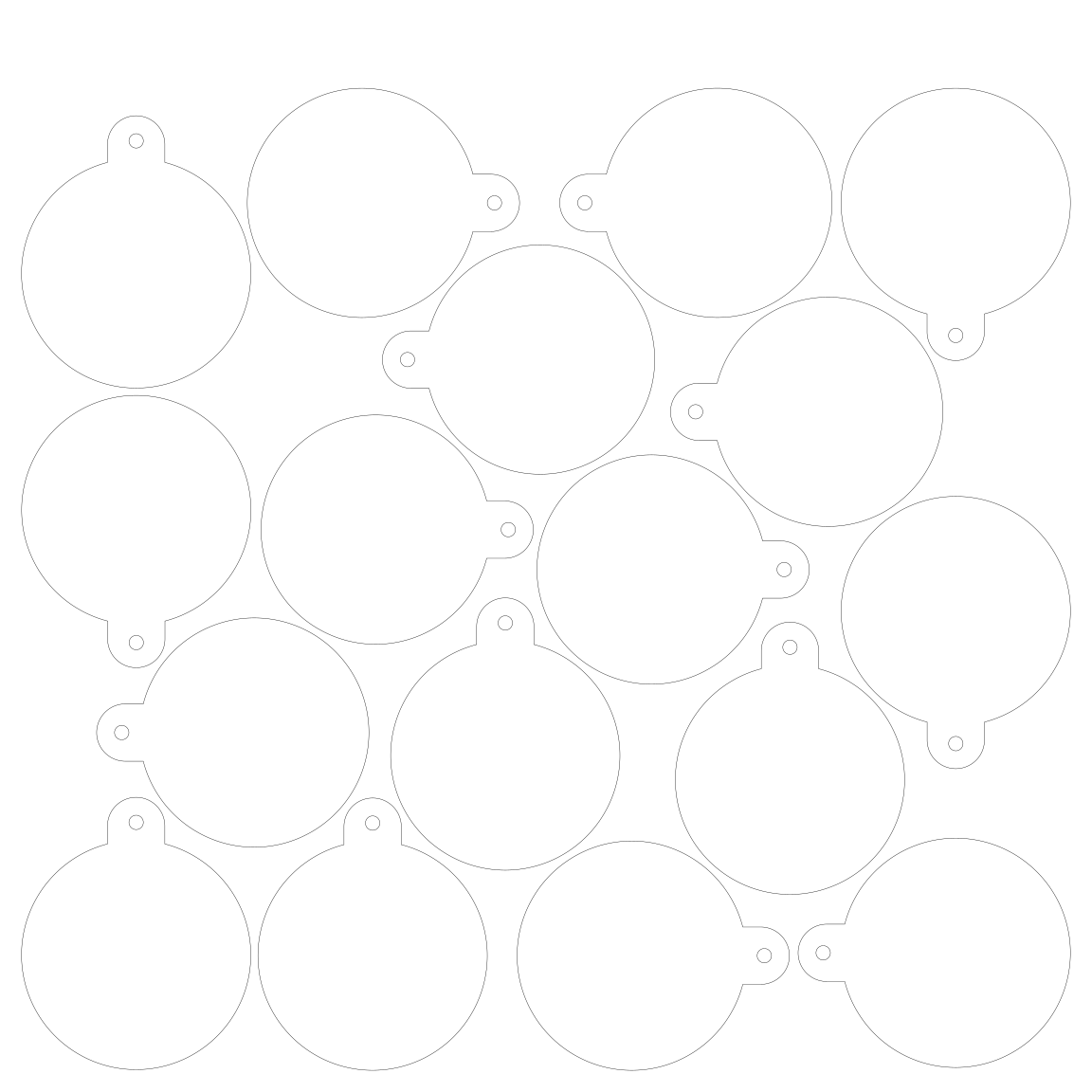
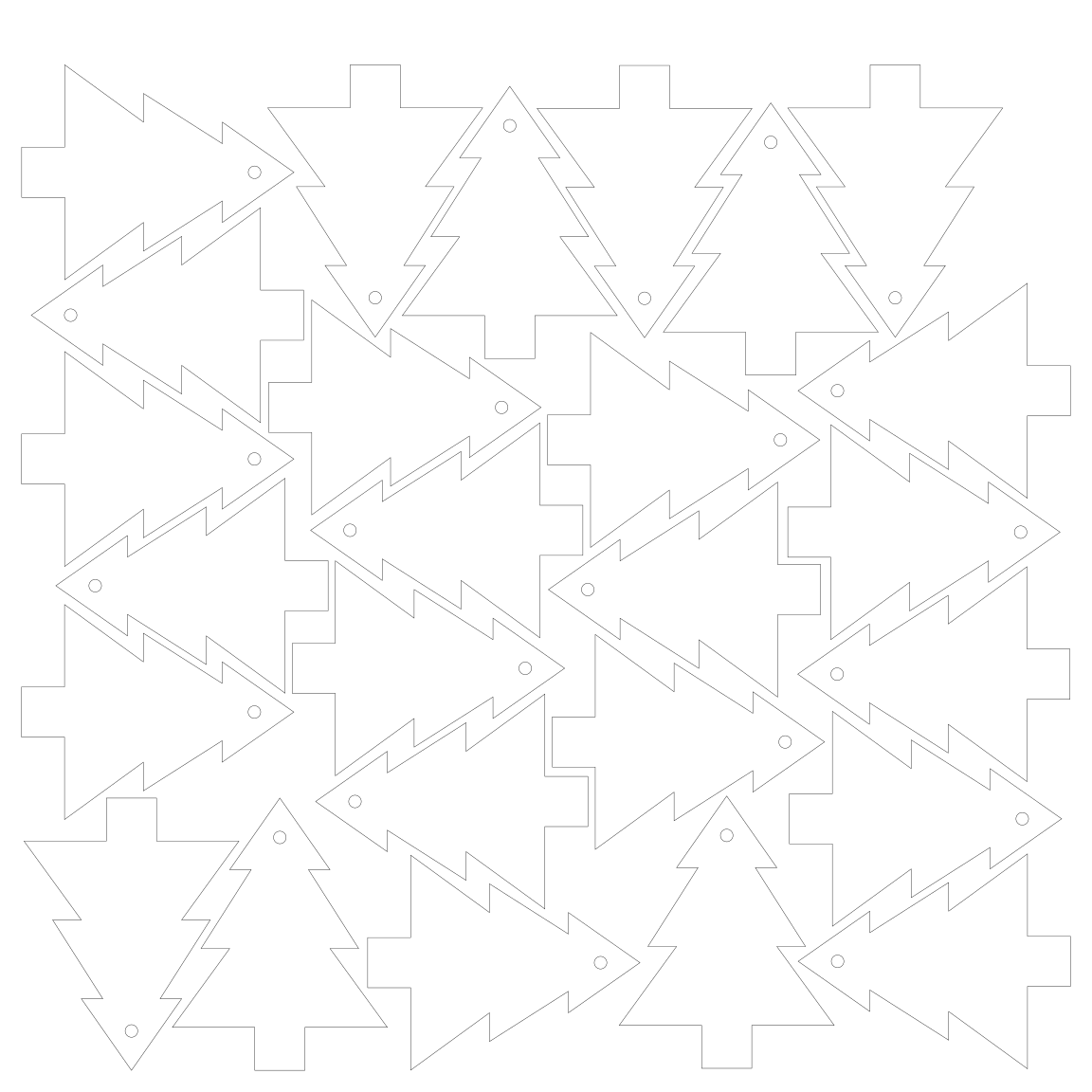
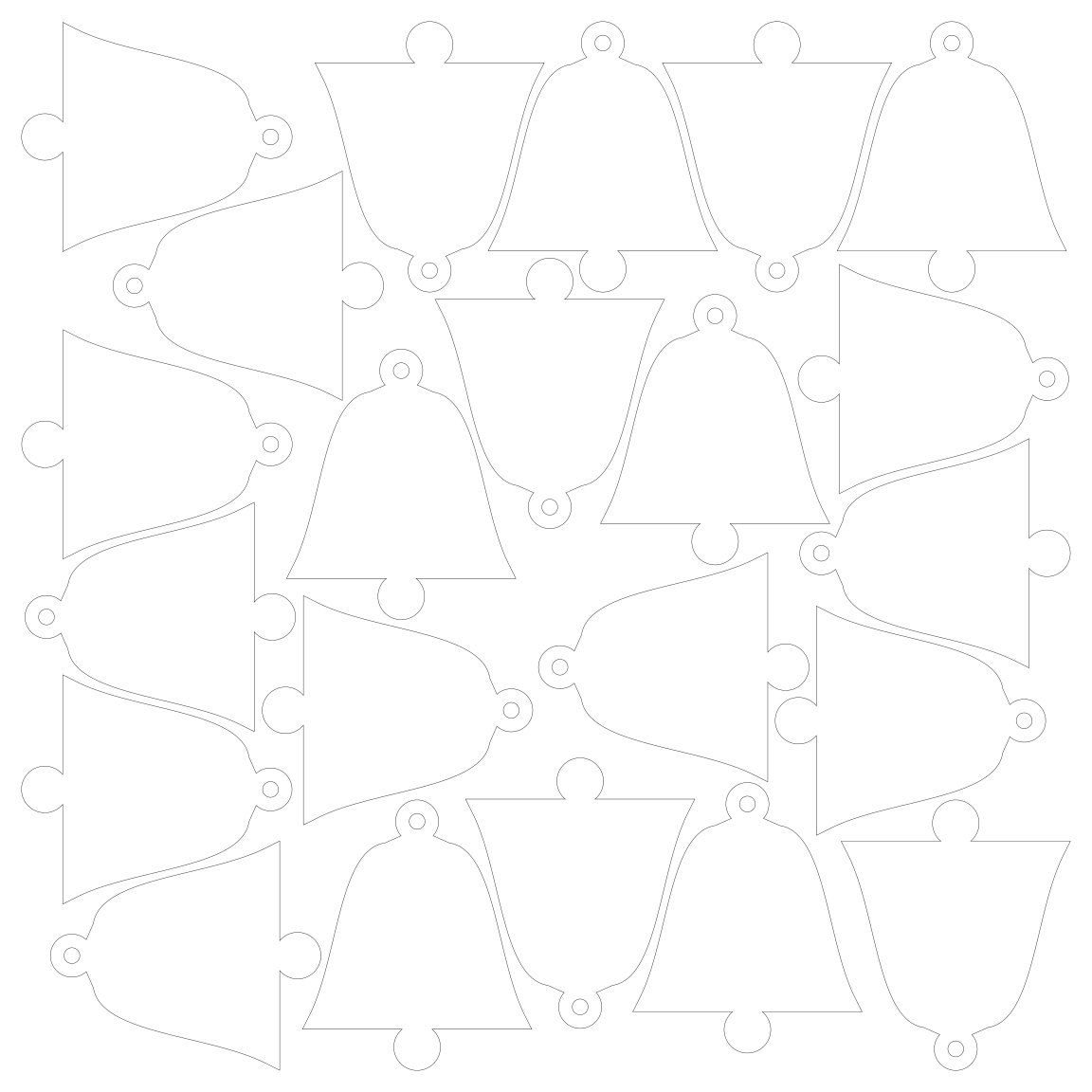
On one 12 × 12 inch (304.8 mm) sheet, Nestbolt fit 17 to 26 Christmas ornaments about 3 inches (69–76 mm) tall, depending on the shape: 17 round baubles, 23 stars, and 26 trees or stockings; a plain grid of the same shapes holds 12 to 15. We measured this on 1 November 2026 with Nestbolt's “Place every part” search (a 60-second repeatable budget) on six outlines we drew, 2 mm between parts and a 6 mm border; the files and commands are below.
We make Nestbolt. It is free and MIT-licensed, and it runs in your browser: your drawings are never uploaded.
Drop in your own SVG or DXF ornaments, set the sheet and the quantities, and export each sheet for your laser.
Ornaments per sheet, shape by shape
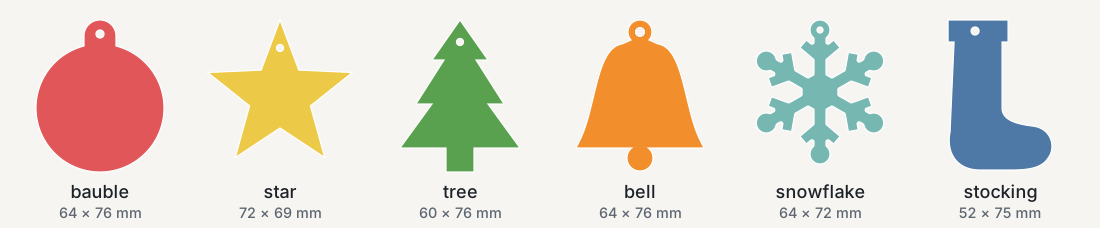
| Design | Size (mm) | Grid of bounding boxes | Nestbolt, most that fit | Nestbolt, “Fill the sheets” (0.6–2.4 s) |
|---|---|---|---|---|
| Round bauble | 64 × 76 | 12 | 17 | 15 |
| Star | 72 × 69 | 12 | 23 | 19 |
| Tree | 60 × 76 | 12 | 26 | 23 |
| Bell | 64 × 76 | 12 | 22 | 19 |
| Snowflake | 64 × 72 | 12 | 18 | 17 |
| Stocking | 52 × 75 | 15 | 26 | 20 |
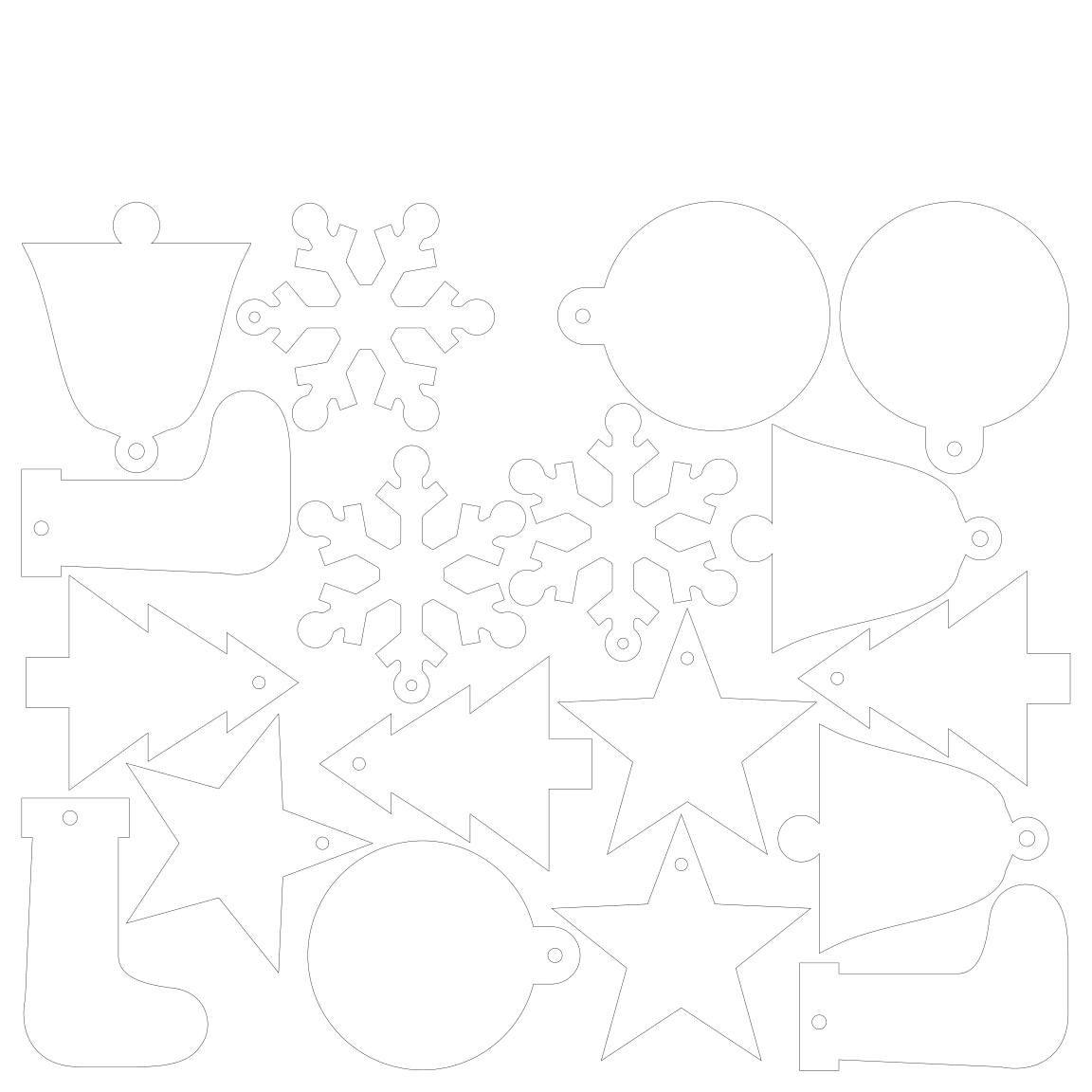
Ready-to-cut sheets (SVG, millimetres): 17 baubles, 23 stars, 26 trees, 22 bells, 18 snowflakes, 26 stockings and the mixed set of 18.

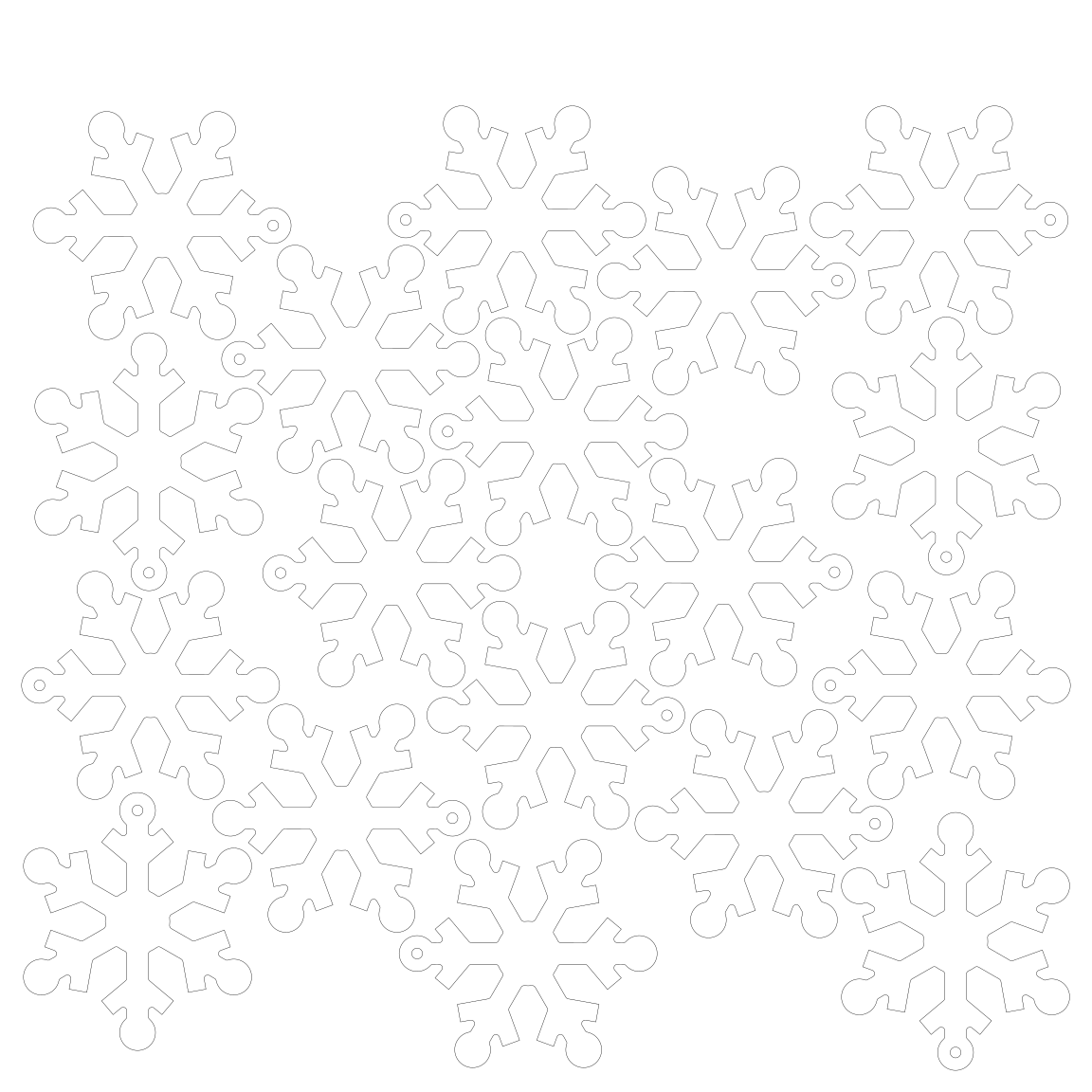
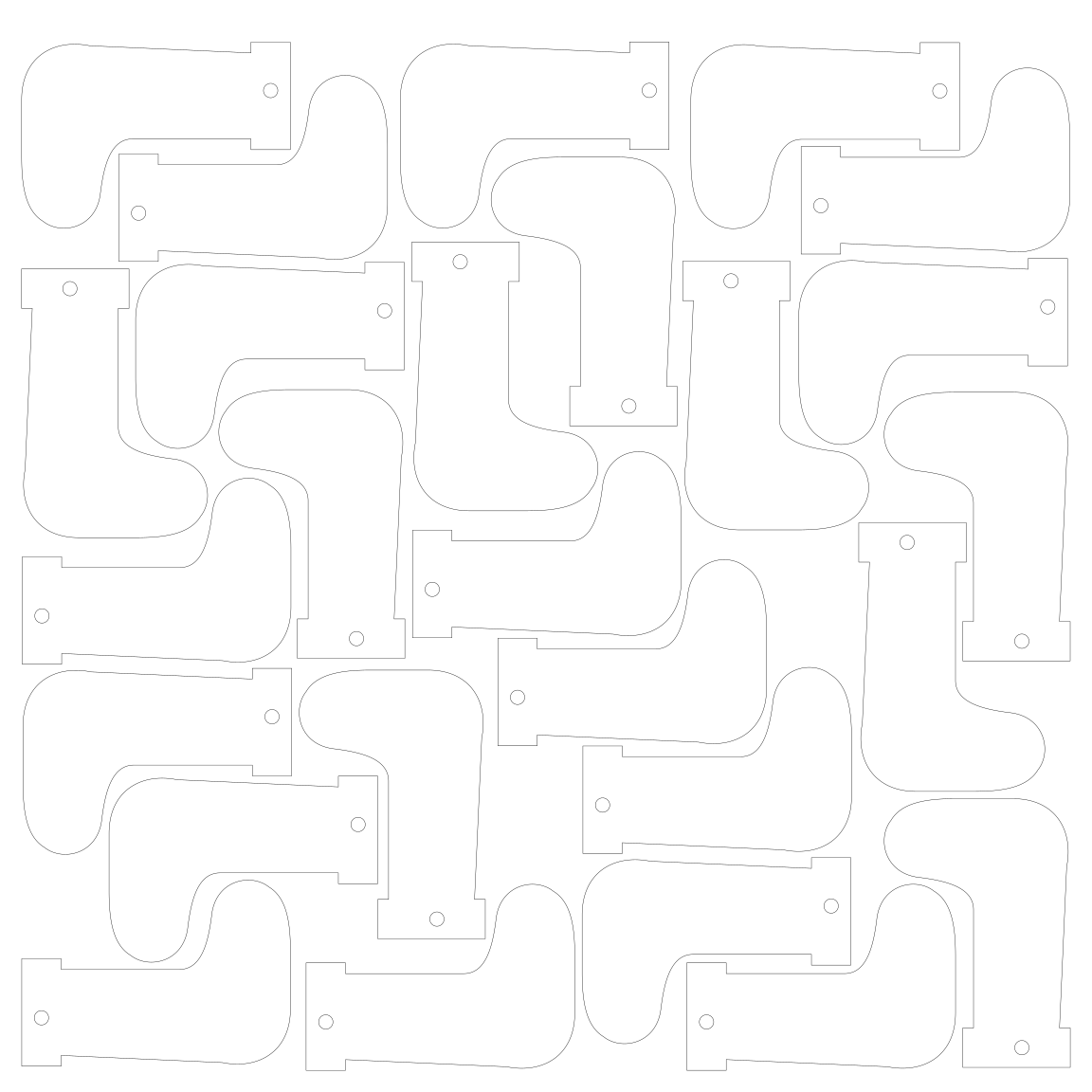
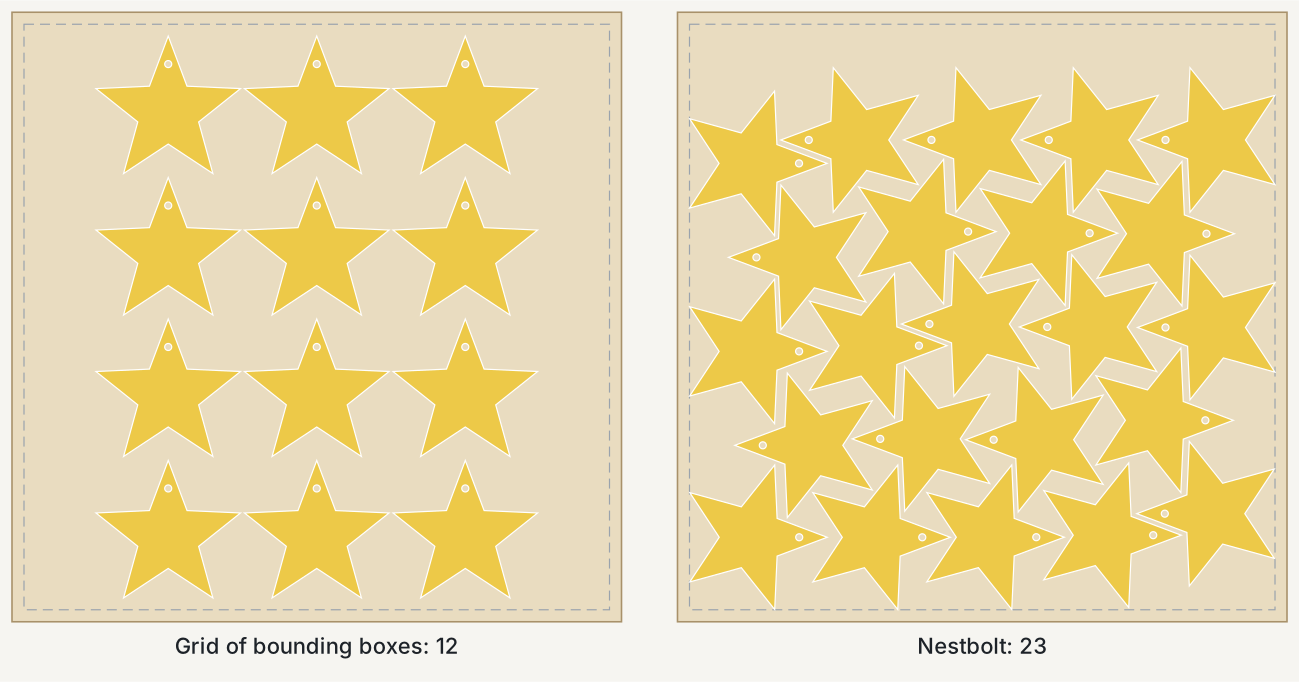
The grid is plain arithmetic, not a run of any program: equal rows and columns of each shape's bounding rectangle with the same gaps, upright or turned 90°, whichever holds more. It is what a rectangular array of copies spaced by their bounding boxes gives you. A careful hand layout that staggers rows can beat the grid too.
Shapes that interlock gain the most, because copies facing opposite ways slide into each other's gaps (the 23 stars all lie on their sides, alternating left and right): trees went from 12 to 26, stars from 12 to 23 and stockings from 15 to 26. Round baubles gained least, 12 to 17.
A mixed set of 18 on one sheet
If you sell a set rather than one design, mix them. Three of each of the six designs, 18 ornaments, fit on one sheet (60-second repeatable budget, finished in 18 s), with 54.3% of the used material in ornaments and a 304.8 × 50 mm strip left uncut along the top for the next job. Four of each, 24 ornaments, needed a second sheet with the same budget.
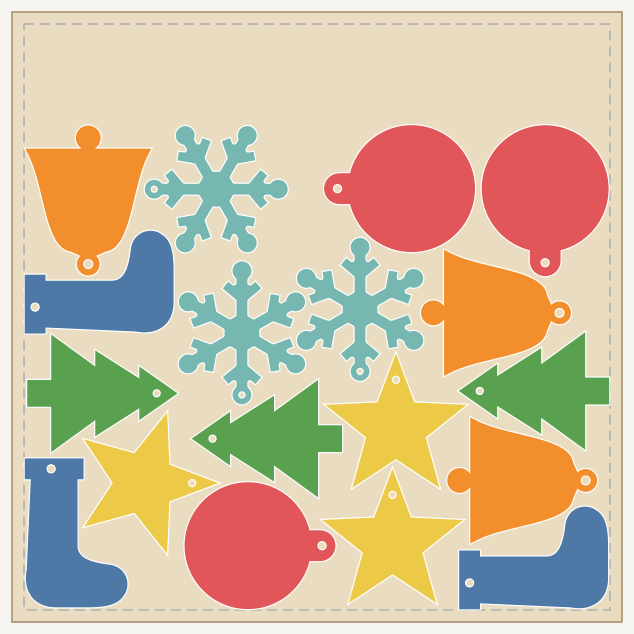
Settings
| Sheet | 304.8 × 304.8 mm (12 × 12 in) |
|---|---|
| Margin | 5 mm |
| Part spacing | 2 mm |
| Edge spacing | 1 mm (so parts stay at least 6 mm from the sheet's edge) |
| Allowed rotations | 0°, 90°, 180°, 270° |
| Time budget | 60 seconds for “Place every part”, 30 seconds for “Fill the sheets”, as a repeatable work budget |
A smaller gap between parts usually fits more ornaments and a larger one fewer, so use the gap your material and laser need. Quarter turns let some ornaments lie sideways or upside down, which changes nothing for a cut-only ornament. If wood grain direction matters to you, allow only 0° and 180°.
Do it in the browser app
- Open Nestbolt and drop in your ornament SVG or DXF, or our six designs. Check that each part imported at full size (the import list shows its area).
- Set the sheet: Width and Height 304.8 mm (or your sheet or bed size) and Margin 5 mm. Set Part spacing, Edge spacing and Time (we used 60 s).
- Give each design a quantity and keep the rotation at 0/90/180/270°.
- For the most that fit, choose the goal “Place every part”, leave Count empty and ask for more than you expect. If the result uses a second sheet, or says it could not place every part, lower the quantity and run it again. “Fill the sheets (most area)” with Count 1 gives a quick first answer (0.6 to 2.4 s in our command-line runs), but with seed 0 it placed 1 to 6 fewer than “Place every part”.
- Export each sheet as SVG or DXF for your laser software. The exports keep the original curves.

By default the app's search runs on your computer's clock rather than the repeatable budget we used, so its count can differ from the table.
If your ornaments carry engraving, choose only the cut colour or layer when you import (Apply import options). If the cut lines aren't on a layer whose name contains cut, outline or profile, automatic selection reads every closed engraved shape as a part or a hole. To keep the engraving with each ornament through nesting, start from a LightBurn project (.lbrn2), a preview feature: see nest a laser-cut kit and keep its layers.
How it was measured
- Draw. A script drew the six outlines from numbers (circles, straight lines and Bézier curves, in millimetres), with no traced or copied art. Each design is one closed outline with one hanging hole.
- Import.
nestbolt import ornaments.svg --output library.jsonfound 6 parts, each with its hole, and no warnings. - Most that fit. For each design,
nestbolt nest --library library.json --request <request> --out-dir out --seconds 60 --repeatable --seed 0in the default mode, which places every part (the app's “Place every part”), with as many sheets as needed. The quantity started one above the best fill result and rose by one until a count needed a second sheet. The largest count on one sheet is in the table. For snowflakes, 19 needed a second sheet and a separate run confirmed 18. A count that failed at this budget and seed might still fit with a longer search. - Fill. The same command with
"mode": "fill_area", 40 copies, one sheet and--seconds 30, for seeds 0 to 4. The table shows seed 0; the other seeds placed at most one more. Each run took 0.6 to 2.4 seconds. Its report notes that the separation search, the step that improves a layout, supports only jobs that place every part, which likely explains why this mode is quick and places fewer. - Check. Every layout passed Nestbolt's independent validator, and
nestbolt validateagrees on the seven published sheets. A separate script of ours (Shapely, no Nestbolt code) re-read the exported sheets: the right number of copies, each with the drawing's area and its hanging hole, at least 6 mm from the edges and at least 2 mm apart (the closest pair was 2.004 mm). Running the same command again gave byte-identical layouts.
The tool was Nestbolt's command-line program built from main at 379761a, on a desktop PC. Its nesting code is the same as the browser app's. The request files, results, check output and the seven nested sheets above, ready to cut as SVG, are in this page's data folder.
When to use something else
- You already use LightBurn with a Pro licence. LightBurn 2.2's True Nest nests objects by their actual contours inside LightBurn, so you skip the trip through another program; its Quick Nest, added in 2.1, arranges by bounding boxes (LightBurn's 2.2 announcement, read 31 October 2026). We have not run either.
- You cut on an xTool M2, P3 or MetalFab CNC Cutter. xTool's Smart Nesting can photograph the material in the machine and nest onto its outline, with automatic rotation and a spacing setting; the F2 Ultra is listed as coming soon (xTool's Smart Nesting guide, read 1 November 2026). We have not run it.
- You want a desktop or browser nester you already know. Deepnest and SVGnest are free. Our measured comparison with them, including the jobs where another tool wins, is on the Deepnest alternative page.
- Your ornaments are simple rounds. They gained least here: 17 baubles against the grid's 12.
Source and licence
We drew the six ornament outlines for this page. The drawing and the request files are MIT licensed, like Nestbolt; see the repository's MIT licence. Test-cut one ornament first: kerf, material thickness and hole sizes vary. Nestbolt gives no machine-safety or fit certification.
Last checked: 1 November 2026.