
Neon Voyage: a free pixel-art rocket game
Fly a neon rocket flat out through an endless asteroid field. Every near miss makes you faster and multiplies your points, so the best runs are the closest ones. Grab shields and boosts, and set off a nova when it gets crowded. It runs in any modern browser, on phones, tablets and computers, with nothing to install and no account.
How to play
- Computer
- The left and right arrow keys, or A and D. The rocket only moves side to side, fast, and leans into each turn. P or Esc pauses, M turns the sound off and on. After a crash, press any key to fly again.
- Phone or tablet
- Touch and hold the left or right side of the screen; slide across the middle to switch. Your thumbs stay at the edges, clear of the rocket. Tap to fly again after a crash. Add the page to your home screen to play full screen.
- Gamepad
- Left stick or d-pad left and right to steer, A to start, Start to pause.
Speed and scoring
- Speed. The asteroids keep speeding up for as long as you last, with no limit: twice as fast after a minute, three times after two, until nobody can keep up. Fly close to a rock without touching it (a graze) and you go faster still: each graze fills the speed gauge, and the gauge multiplies every point, up to ×5 at max speed. Stop grazing and the extra speed bleeds away.
- Distance. Points for the distance you fly, so the faster you go, the faster you score.
- Shards. Cyan crystals come in lines of five. Each is worth 25 points times your multiplier, and a whole line earns a bonus.
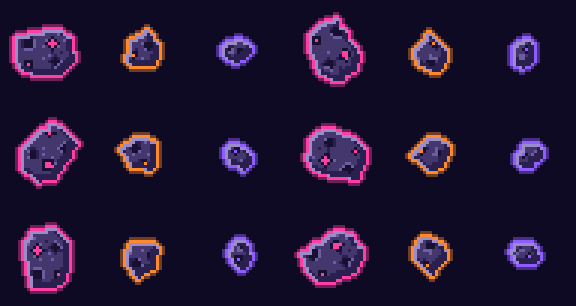
- Smashing. Rocks broken by a shield, a boost or a nova score too. Asteroids knock each other about, so watch for one bouncing into your path, and every so often a meteor storm rolls in.
Power-ups


Made with Pixelbolt
Every sprite, effect and letter in Neon Voyage was made with Pixelbolt, an open-source pixel-art toolkit built for AI agents. Each piece of art is a small JSON recipe, and Pixelbolt turns it into exact pixels: no image model and no hand painting in an editor. An AI agent wrote these recipes, looked at what they drew and fixed them, the way Pixelbolt is meant to be used. The recipes are in the game's art folder, and art/build.mjs rebuilds every image from them.

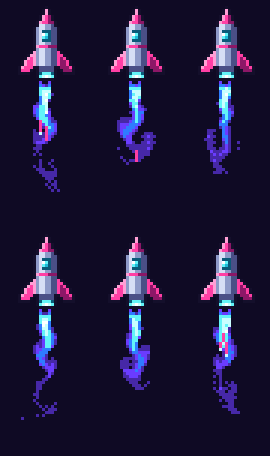
createLiveFluid. Your steering stirs the gas, so the plume bends as you turn and flares when you boost. (exhaust.fluid.json)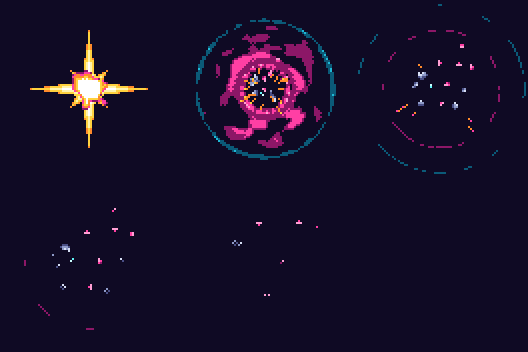
The stars, nebulae and ringed planet use Pixelbolt's dithering and ramp shading, the score and messages are its built-in pixel font, and the image shown when you share a link is a Pixelbolt scene that places the same sprites. The game draws them all with Pixelbolt's atlas runtime. Try Pixelbolt in the browser playground or poke its live fluids.
Questions
Is Neon Voyage free?
Yes. There are no ads, no accounts and no tracking. The game is open source under the MIT licence.
Does it work on my phone?
Yes, in portrait or landscape, in any recent mobile browser. Hold the left or right side of the screen to steer. On iPhone, Share then Add to Home Screen gives you a full-screen game.
Is my best score saved?
Your best score and sound settings stay in this browser on this device. Nothing is sent anywhere.
Who made it?
Artem Skulimovskiy. The first version, drawn with plain canvas shapes, came out in 2024. This version was remade in November 2026 with Pixelbolt art, touch controls, working power-ups and sound.